10 Top Webcams for YouTube Streaming: Get Studio Quality at Home

10 Top Webcams for YouTube Streaming: Get Studio Quality at Home
Thinking about leveling up your YouTube content but stuck on your webcam? You’re not alone! Now days, audiences expect richer visuals, smooth performance, and great audio even for business or marketing videos. This guide on the top webcams for YouTube streaming is just for you! We’ve got options for marketing tutorials, product demos, and YouTube leadership content as well.
Our top picks cover the budget and the feature distribution from plug-and-play workhorses to AI-powered cinematic cam. Ready to look the part on camera? Let’s go!
10 Top Webcams for YouTube Streaming: Get Studio Quality at Home
Here is a list of 10 Top Webcams for YouTube Streaming: Get Studio Quality at Home
1. 🏆 Insta360 Link UHD 4K AI Webcam: Best Overall
The Smartest Webcam You’ve Ever Met
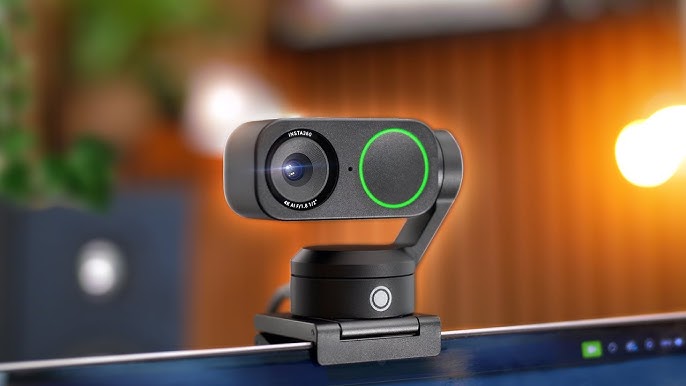
If webcams had personalities, this one would be the overachiever who somehow makes everything look effortless. The Insta360 Link UHD 4K AI Webcam is easily one of the most advanced Webcams for YouTube Streaming right now, and it shows the moment you hit record.
Once you start recording, the first imaging quality you will notice is that sharp and crisp resolution, and the supposed bad lighting and late night streaming sessions don’t even need to be bright. 4K and good sense for lighting follow. The sensor’s large lighting-receptional capacity is up to the task. Late-night streaming sessions? No problem. This camera handles shadows like a pro.
Then comes the real magic, AI tracking. You can move around, gesture, or even shift positions mid-presentation, and the camera smoothly follows you. It feels like you hired a camera operator, except you didn’t.
Gesture controls add a fun twist. Want to zoom in or switch modes without touching anything? Just wave your hand. It’s surprisingly accurate and makes filming feel more natural.
It also includes multiple shooting modes like DeskView and Whiteboard, which are perfect if you create tutorials or educational content. This makes it a favorite among coaches, educators, and marketers.
📸 Specs at a Glance:
- 4K @30 fps; also 1080p/60 fps, 720p/60 fps 1/2″ CMOS sensor
- 79.5° field of view with 4x digital zoom
- AI auto-focus and gesture control HDR
- Dual noise canceling microphones
- Clip + tripod mount with USB-C
- Modes: DeskView, Overhead, Whiteboard, Auto framing.
Pros
- AI tracking keeps you perfectly framed
- Excellent low-light performance
- Hands-free gesture controls
- Multiple creative shooting modes
- Sleek, compact design
Cons
- Higher price compared to most webcams
- HDR only works at lower resolutions
- No physical privacy shutter
- Overkill for casual users
Final Verdict: Among some of the best options is this camera for creators, coaches, and other marketing professionals (including entrepreneurs) because of its ease of use and automated unique cinematic setup.
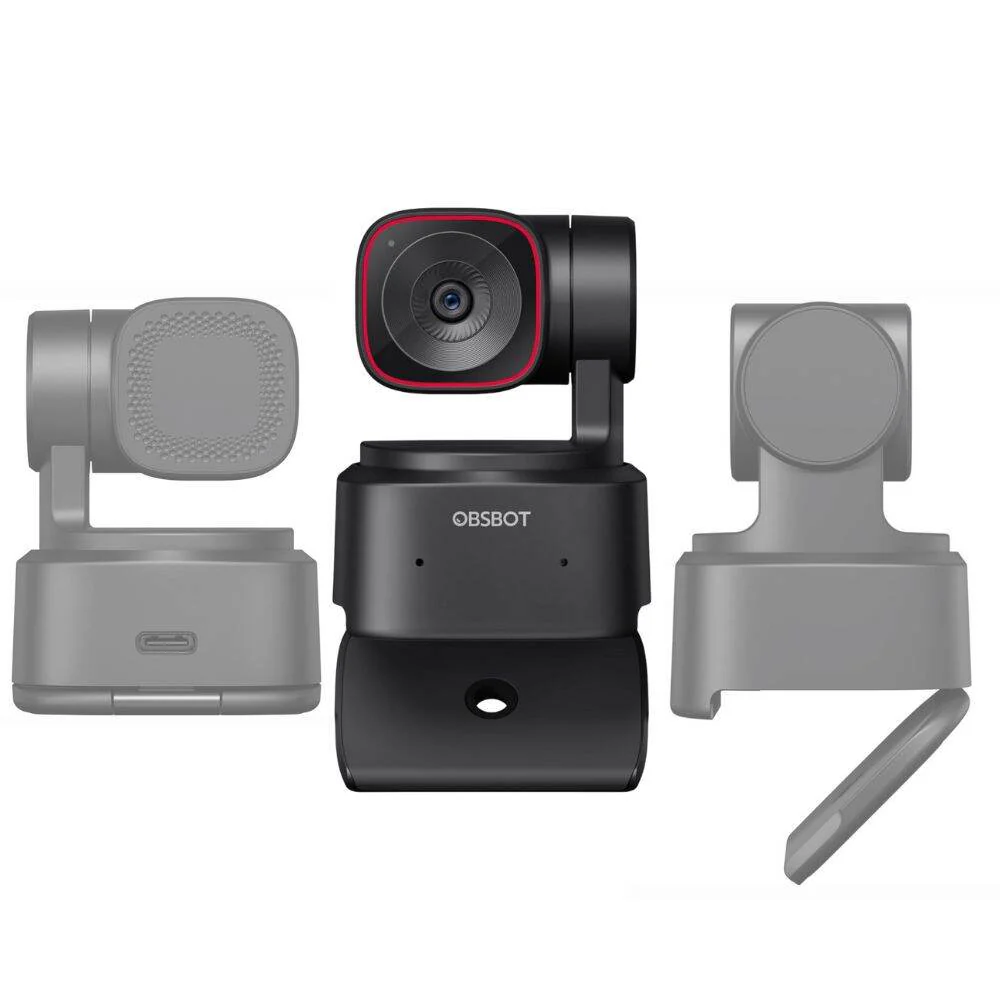
2. OBSBOT Tiny 2 Lite 4K
Smart AI at a Sensible Price
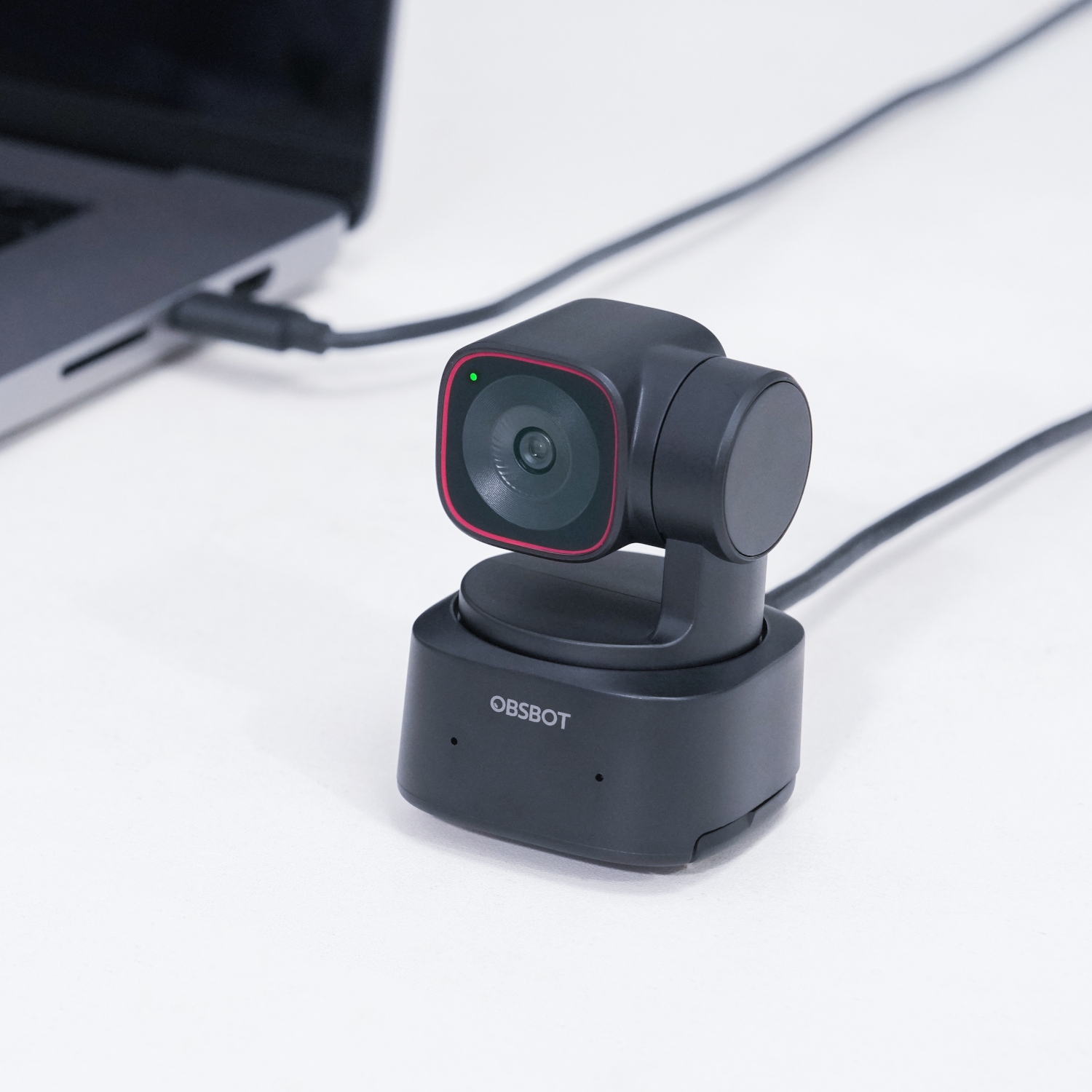
Not all people want to spend a big sum of money, and it is where the OBSBOT Tiny 2 Lite has its assets. It introduces numerous smart capabilities of high-end models at a far more affordable cost.
Immediately upon opening, the video quality is clean and sharp. The 4K refresh provides a good amount of detail, and the quick autofocus keeps the whole image sharp even when you make some slight changes. This camera is a compromise among those creators only just ramping up their production.
AI tracking is incorporated albeit with a minor restriction as compared to its larger counterpart. Nevertheless, it is very successful at focusing you when streaming or recording videos. It is natural, not robotic and distracting.
Setup is simple. Plug and play it, open up your streaming program and you are good to go. It is compatible with software such as OBS, Zoom, and Teams too, so it can be used both in content creation and in businesses.
It has some little oddities of its kind, such as the occasional glitches of the app, but nothing that would break the deal. It reaches down to the serious on the price.
📸 Specs:
- 4K/30 fps; 1080p/60 fps
- 1/2″ sensor, f/1.8 aperture; 79.4° FOV
- Gesture zoom, tripod-ready; noise-suppression mic
- PTZ via app; USB plug-and-play
Pros
- Affordable AI 4K webcam
- Sharp image and fast autofocus
- Works with Zoom, OBS, Teams
- Clean design with tripod/clip
Cons
- Limited tracking compared to full Tiny 2
- No physical shutter (depends on PTZ positioning)
- Occasional app bugs
Final Verdict: Another option is an excellent budget-friendly and creative choice of smart features at a low cost. Enormous step to professional material.
3. OBSBOT Tiny 2 4K PTZ Webcam
Your Studio Cameraman
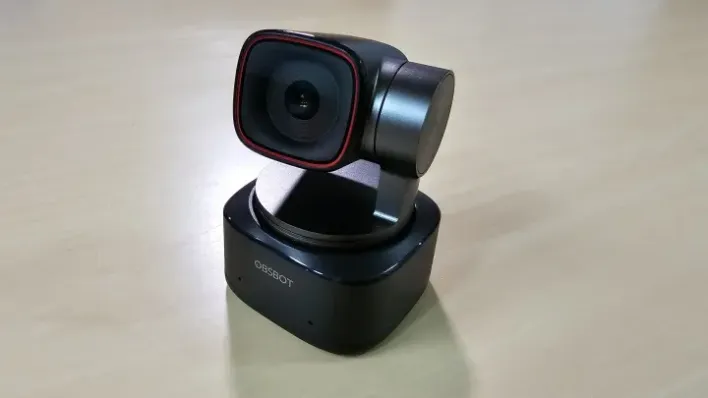
You like to move around when recording a video, teach on camera or may just dislike sitting down at all, then this webcam may seem like a dream. The OBSBOT Tiny 2 will be the device that functions as an entire camera crew.
The most impressive thing in this is complete PTZ which is a pan, tilt and zoom. That is to say the camera is not nose into your face, but is moving about shooting angles and framing that keep you shot alive. It works best with an interactive video or presentation.
The improved sensor is also a noticeable difference. Colors are more vivid, details clearer and the overall image quality is more moviesque than the competition webcams.
There is added convenience with voice control. The camera can be controlled without having to touch anything, a particularly helpful feature when planning a live stream or a tutorial and you cannot pause.
With that said, it is slightly heavier than regular webcams, and the price also increases in comparison to the Lite model. However, when you have to be flexible, it is worth it.
📸 Specs:
- 4K/30 fps; 1080p/60 fps; 85.5° FOV
- 1/1.5″ sensor with f/1.9 aperture
- Built-in noise-suppression mic
- Full-range PTZ; gesture + voice; tripod-ready
Pros
- AI tracks full body or head
- Rich visuals with improved sensor
- Voice commands free your hands
Cons
- Pricey (~US$329)
- Bulky for travel
- Still no privacy shutter
Final Verdict: Ideal for those who want a virtual camera operator and talk while pacing or teaching.
4. Logitech MX Brio Ultra HD 4K
Business-Grade Brilliance
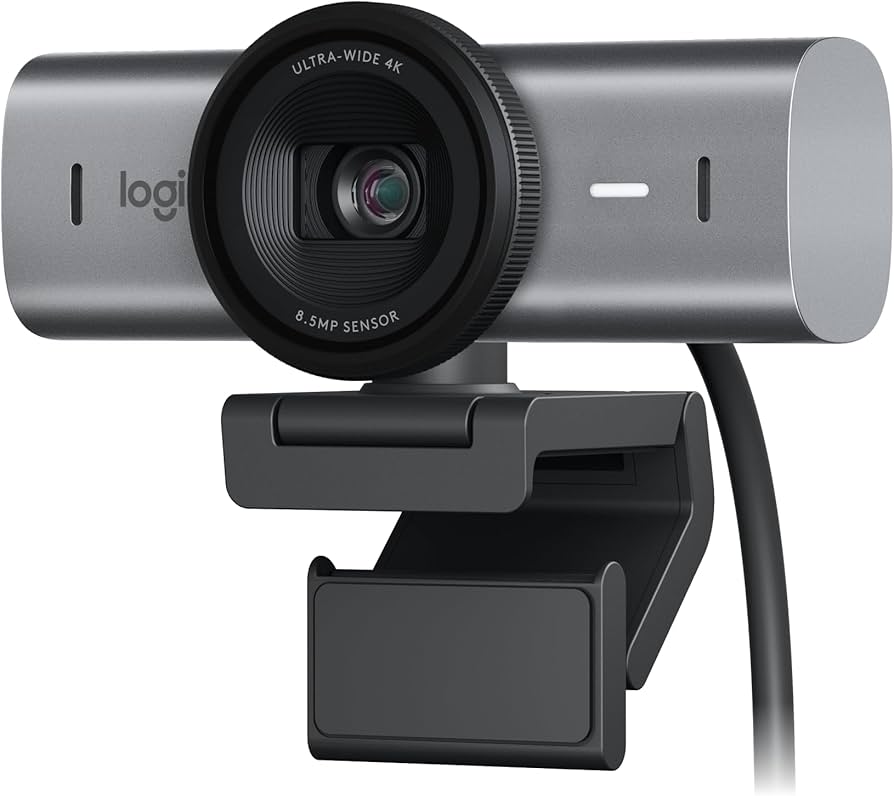
There are times when you just desire something safe that will look good each time. This is what the Logitech MX Brio provides.
This webcam is vastly inclined to image precision and regularity. Colors are realistic, skin complexion is well-balanced, and HDR support makes sure that the details remain in light and dark regions. Whether you document courses, conduct webinars, or even hold professional meetings, this standard level of quality counts.
Another strength is audio. The inbuilt microphones are very effective in absorbing the background noise and hence your voice cut through effectively without the use of any additional equipment.
The physical privacy shutter is a feature that many people like. It is easy and it brings serenity when the camera is not in operation.
It is higher priced, but you are also paying a price of reliability and refined production.
📸 Specs:
- 4K/30 fps; 1080p/60 fps; HDR with RightLight 4
- Dual Mic, has noise cancellation features; USB-C; privacy shutter
- f/2.0 aperture, 90° FOV
Pros
- Excellent audio for interviews and calls
- Rich HDR and accurate colors
- Physical shutter adds privacy
- Strong built-in microphones
- Professional performance
Cons
- Premium price tag
- Minor camera warning light could distract
Final Verdict: An ideal option of professionals seeking clean and reliable video without engaging with the complicated features.
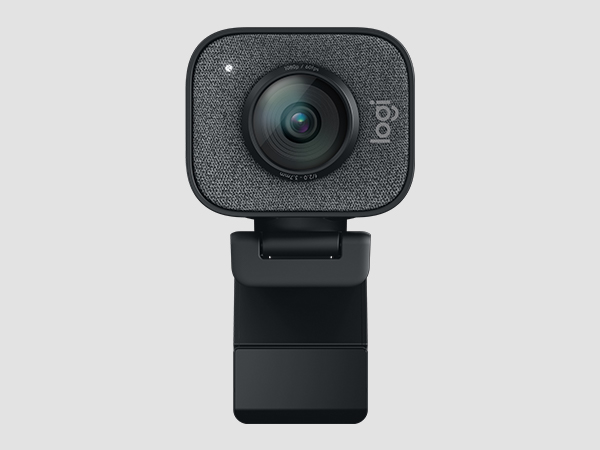
5. Logitech StreamCam Plus 1080p/60
Perfect for Social-First Creators
If you’re pumping out Shorts, Reels, or TikToks, this cam nails vertical format, fluid motion, and streamer-friendly features.
Logitech StreamCam Plus does just that. You also have 1080p, 60 fps, which gives your videos a smooth and natural effect, making it the best when the content is fast moving.
Native portrait mode is one of the highlights. When you make vertical videos, this camera simplifies it to the extent that one does not have to use a cumbersome way to crop or adjust the camera. It is made with the content creation of the times.
The software package included also assists in the field of framing and exposure and is easy enough to use as a novice user but still provides the advantage of enough control in the hands of an experienced user.
Although it does not have 4K, it easily compensates it in usability and performance in social content.
📸 Specs:
- 1080p @60 fps; 77° FOV
- Dual mics; USB-C; portrait/ landscape.
- Logitech Capture software and Auto framing.
Pros
- Smooth, high-frame social content ready
- Easy framing with the app
- Portrait mode is native
Cons
- Not 4K
- Needs to be configured using Logitech
Final Verdict: Spot-on for marketers and creators focused on fast, mobile-friendly video content.
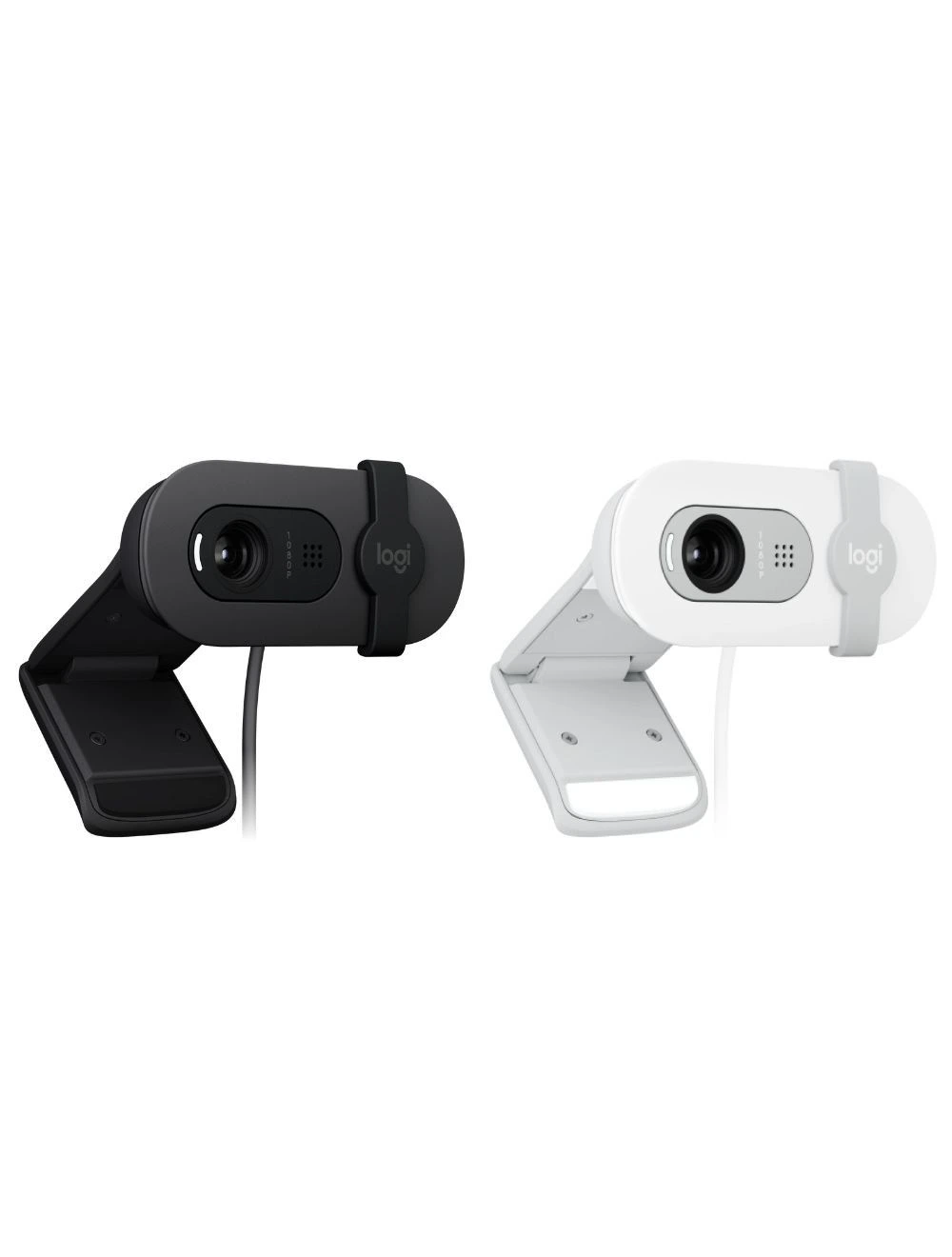
6. Logitech Brio 100 1080p
Dependable and Budget-Friendly
Sometimes simple wins. The logitech brio 100 shows us that you do not necessarily have to be flashy in order to produce quality content. This is a user-friendly and stable place to give Webcams a go on YouTube Streaming.
The 1080p resolution is not innovative, yet it is sufficient to perform well with regular You Tube videos and webinars, as well as live streaming. It will give good color, good visuals and good performance without having to play around with settings.
The beauty of this webcam lies in consistency. It operates whenever you want it to, and at all times. No strange glitches, no complex configuration, no learning curve. Connect it to a plug and start recording your software, then live.
Light correction will enhance your picture when there is poor light and that is excellent when you are not using a complete light set at the moment. This feature in itself can stand out in a beginner or backup setups.
📸 Specs:
- 1080p/30 fps; 78° FOV
- Light correction technology; two microphones; USB-A
Pros
- Affordable (~US$40) with strong image quality
- Reliable performance for business calls
- Compact and trustworthy
Cons
- No AI features or tracking
- Slightly dated appearance
- No USB-C support
Final Verdict: Ideal fallback camera or budget workhorse for virtual communication.
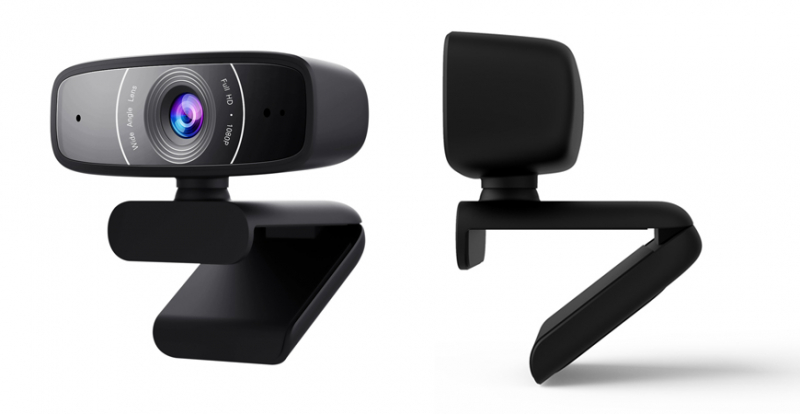
7. ASUS Webcam C3 1080p
Wide-angle Group Performer
Running small team meetings or multi-person interviews? This wide-angle marvel has your back (and your colleagues!).
The ASUS Webcam C3 is a surprisingly powerful contender, should your content include more than you plus interviews, podcasts, or team videos.
The large 95 degree field of view is the key here. It enables more than two individuals to be placed easily within the frame without having awkward adjustments. This is terrific when it comes to sharing content or recording in small groups.
There is also better than satisfactory audio quality. The two beamforming microphones capture the voices in a clear state, even when individuals are positioned a bit off-center. That implies that post-production will have less headache.
ADJUSTABLE angles, swivel and tilt also ensure that you have a higher variety of angles in which you can frame. This comes in handy particularly when your setup is regularly changed.
But sometimes a narrower view of the background can give you less of that kind of clutter than you desire, a clean set up is important in this case.
📸 Specs:
- 1080p/30 fps; 95° FOV
- Auto-focus, two-beamforming microphones; USB-A; attachable
Pros
- Clear voice pickup
- Swivel/tilt for flexibility
- Captures group calls without jockeying for position
Cons
- No AI or 4K
- Fixed audio gain
- Wider angle may reveal background clutter
Final Verdict: Great for small meeting rooms or joint presentations, especially when clarity is key.
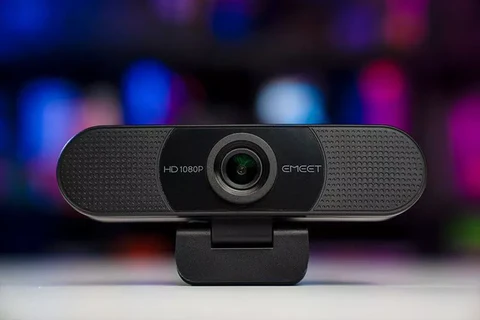
8. EMEET SmartCam C960 4K
Value-Packed 4K Performer
Budget-friendly yet solid, this EMEET cam delivers auto-focus and sharp visuals without breaking the bank.
When you desire crisp images without leaving a hole in your pocket, then this is where the fun lies. The EMEET SmartCam C960 4K has an unexpectedly high quality at its cost.
You will receive sharp 4K images and above-average autofocus and color accuracy. To those creators who upgrade what came with their laptops, the night is day.
A lot of cost effective webcams are unable to focus, this one can focus well owing to effective autofocus technology. It keeps your face sharp without having to adjust your face continuously.
It has a small but significant addition, as well, a privacy cover. It demonstrates that user experience can still be thought of even when dealing with budget options.
That being said, it lacks premium tracking and sophisticated software capabilities. But of course, at this price, that is no surprise.
📸 Specs:
- 4K at 30 framerate; 1080 at 60framerate; auto-light-correction.
- Sony PDAF; dual mics; privacy cover; USB-C.
Pros
- Affordable 4K (~US$80–120)
- On-point focus and color
- Privacy cover is thoughtful
Cons
- Limited tracking; might need manual framing
- Software interface basic
- Audio needs supplementing for larger spaces
Final Verdict: A practical 4K option without frills—perfect for clear visuals on a lean budget.
9. EMEET SmartCam C980 Pro 4K
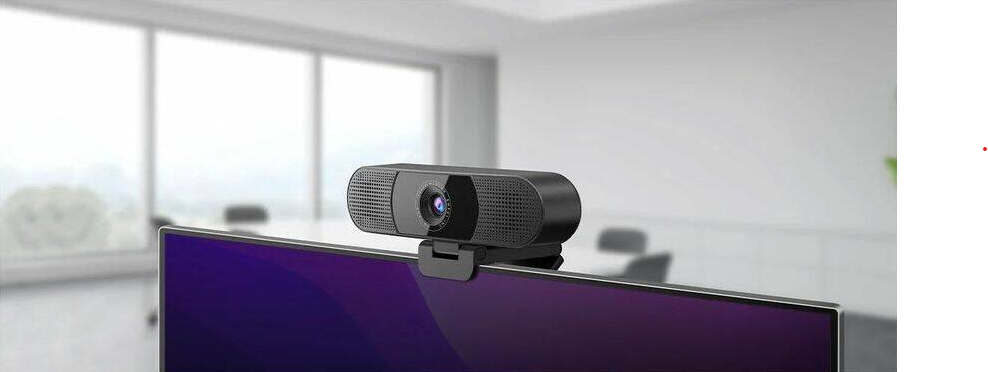
All-in-One Conference Star
Need sound? This 4K cam includes speakers and a wide FOV mic array-goodbye external gear.
The EMEET SmartCam C980 Pro is an all-in-one design. It is a combination of 4K video, multi-mic array, and even inbuilt speakers. It will also translate to a less number of cables, reduced setup, and a shorter production time.
Its broad adjustable field of view also makes it excellent when there is a group discussion, webinars, or group of people content. It takes into account your setup and does not compel you to change.
Auto-framing and speaker tracking also allow the spotlight to stay on the person speaking, a nifty touch of an interactive content.
But the quality of the voice is not exceptional and the unit is slightly larger than the others used in web cameras.
📸 Specs:
- 4K/30 fps; adjustable 60–98° FOV
- 4-mic array; inbuilt speaker
- Speaker-tracking auto-frame; USB-C
Pros
- No need for extra audio gear
- Wide-angle and auto-frame
- Ideal for multi-person discussions
Cons
- Bulky compared to simple cams
- Speaker quality is “just okay”
- Software needs refinement
Final Verdict: Great for video conferences and panel presentations-minimal setup, more polish.
10. 4K HD Webcam (Budget)

Ultra-Basic 4K Entry Point
Need 4K visuals fast and cheap? This cam gives you sharp results for casual streaming.
What about the complete novice alternative? When you have a tight budget, yet you need 4K resolution, such generic 4K webcams are ubiquitous.
They are not shiny. They do not even have features overload. However, they excel in one feature, and that is they offer you a better video than that of your laptop camera at a very cheap cost.
Installation can be accomplished without any difficulty. Plug it in and switch the camera on. No complex software or configuration needed.
The down-side is inconsistency. Construction can be less than ideal, the autofocus is often not flawless and the sound is generally very poor. But to test ideas or to have a channel up, it is a good place to start.
📸 Specs:
- 4K/30 fps; 90° FOV; built‑in mic; USB-A/C
Pros
- Super cheap (~US$20)
- Step-up from built-in webcams
- Easy plug-and-play
Cons
- Build quality is hit-or-miss
- Basic audio, focus, and software
- No support or warranty
Final Verdict: Great placeholder cam if you want sharp visuals before investing in premium gear.
How to Choose the Right One
- Match resolution to your brand’s quality needs: 1080p works for standard webinars; 4K adds polish—but costs more in bandwidth.
- Think about framing and movement: If you move or present physically, get AI tracking or PTZ capabilities.
- Consider audio too: Even the best visuals fall flat without clear sound—either choose cams with strong mics or plan for an external mic.
- Ease of use counts: Plug-and-play plus reliable software means less stress during live events.
- Account for privacy: Physical shutters matter if you’re camera on/off often.
Final Take
- Choose Insta360 Link or OBSBOT Tiny 2 Lite for rich, dynamic visuals with smart features.
- Select Logitech MX Brio or EMEET C960 for sturdier 4K and simplicity.
- Pick Logitech StreamCam, Brio 100, or ASUS C3 for solid 1080p reliability and niche use cases.
- Go with EMEET C980 Pro if you want audio included.
- Try the budget 4K cam for affordable clarity until you’re ready for more.
Stepping up to one of these top webcams for YouTube streaming helps you look sharp, sound confident, and communicate like a pro-perfect for business leaders, marketers, and content creators.
Ready to Shine?
The key to selecting the appropriate Webcams to stream via YouTube boils down to your ambitions and how you intend to use it to produce content. Looking for a specialized, upscale appearance, a quality webcam will provide you more vivid video and enhanced functionality. However, when you are beginners, you will find very cheap solutions that will still provide good and professional output. Neither do you need to spend much to appear good in front of a camera.
The most obvious error producers commit is to wait till the right setup. Rather than deliberating, get what is within your means and begin to create. Even a mere webcam resourced with good light can significantly improve a lot. You are able to advance your equipment as you expand, depending on needs and experience.
Your content is important at the end of the day. The ideal Webcams to use in YouTube Streaming just enable you to make your ideas sound in a more improved fashion. Be consistent, continue to improve and your channel will expand with time.
Searching more excellent business ideas and innovations? Subscribe to our newsletter today, and receive exclusive content directly into your mail inbox.